
Om de servo’s te kunnen testen, op 90 graden instellen voor montage en om de eindstanden van de wissels te bepalen is een servotester gebouwd op basis van de Arduino Nano en in een doosje uit de 3D printer gestopt.
Hier een filmpje. Aan de oorspronkelijke sketch van Michal Rinott en Scott Fitzgerald is code toegevoegd om het OLED schermpje SSD1306 aan te sturen.
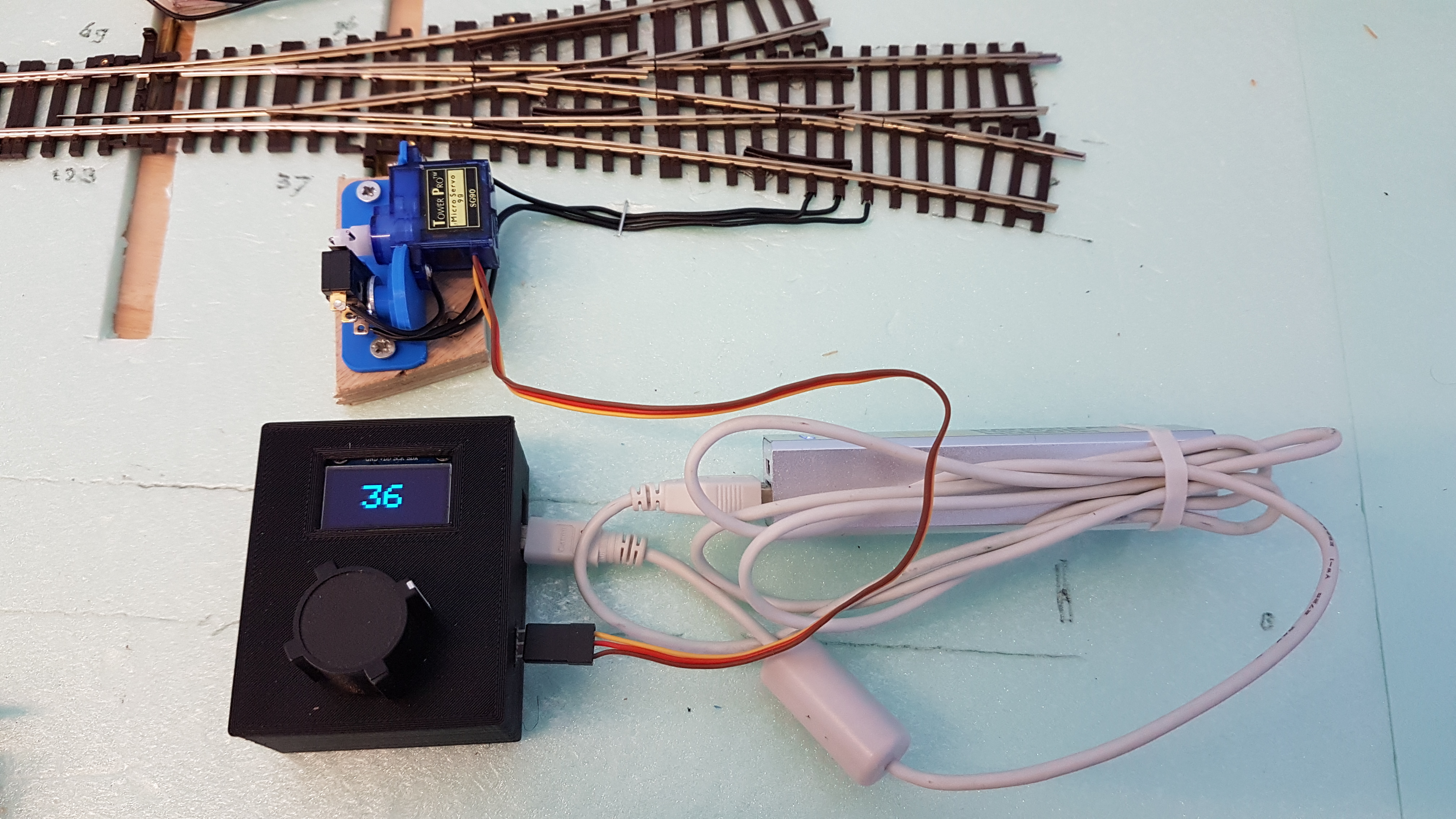
Onderdelenlijst:

- Arduino Nano
- Potentiometer 10-20 kohm
- 3pins Dupont stekker M
- Powerbank of USB lader
- Doosje
- Draaiknop
De sketch:
/*
 Controlling a servo position using a potentiometer (variable resistor)
 by Michal Rinott <http://people.interaction-ivrea.it/m.rinott>

 modified on 8 Nov 2013
 by Scott Fitzgerald
 http://www.arduino.cc/en/Tutorial/Knob

 Modified on 21 Nov 2020 by corbutrain to include OLED display
 Note: connect OLED display VDD to Arduino 3.3V !

 Connections
 3.3V - VCC OLED orange
 A0   - Potmeter runner grey
 A4   - SDA OLED blue
 A5   - SLK OLED green
 5V   - Potmeter, Servo Out red
 GND  - Potmeter, OLED, Servo Out white
 D9   - Servo Out yellow
 USB  - Power Source or PC
*/

#include <Servo.h>
// for OLED display:
#include <Adafruit_GFX.h>
#include <Adafruit_SSD1306.h>
Adafruit_SSD1306 display(4); // OLED DISPLAY INIT

Servo myservo;  // create servo object to control a servo

const int LED_ON = 7;  // half cycle expressed in number of loops to have LED on

int potpin = 0;  // analog pin used to connect the potentiometer
int val;    // variable to read the value from the analog pin
int count;       // counter to flash de LED_BUILTIN

void setup() {
//  Serial.begin(9600);
//  while (!Serial) {
//    ; // wait for serial port to connect. Needed for native USB port only
//  }
  myservo.attach(9);  // attaches the servo on pin 9 to the servo object
  // initialize digital pin LED_BUILTIN as an output.
  pinMode(LED_BUILTIN, OUTPUT);
  count = 0;
  digitalWrite(LED_BUILTIN, LOW);    // turn the LED off by making the voltage LOW

  display.begin(SSD1306_SWITCHCAPVCC, 0x3C);  // initialize OLED display
  display.clearDisplay();
  display.setTextColor(WHITE,BLACK);
  display.setTextSize(4);
  display.setCursor(36,16);
}

void loop() {
  val = analogRead(potpin);            // reads the value of the potentiometer (value between 0 and 1023)
  val = map(val, 0, 1023, 0, 180);     // scale it to use it with the servo (value between 0 and 180)
  display.print(val);
  display.display();
  myservo.write(val);                  // sets the servo position according to the scaled value
  delay(15);                           // waits for the servo to get there
  count = count + 1;
  if (count < LED_ON)
    digitalWrite(LED_BUILTIN, LOW);    // turn the LED off by making the voltage LOW
  if (count > LED_ON)
    digitalWrite(LED_BUILTIN, HIGH);   // turn the LED on (HIGH is the voltage level)
  if (count > (LED_ON * 2))            // check on full clock cycle and set counter
    count = 0;
  display.clearDisplay();
  display.setCursor(36,16);
}